Collect and organize it all.
Neatbase combines the simplicity of notes with a powerful database, making it easy to collect and organize anything you want, exactly how you want.
Two views, endless possibilities
Notes view keeps you focused on one note at a time. Table view gives you a fast, spreadsheet-style overview with sorting, filtering, grouping, and inline editing.
Each notebook remembers your preferred view, sort order, column layout, and group-by setting.
A field for everything
27 field types to capture any kind of data. Mix and match to build the perfect structure for any notebook.
Short Text
Names, titles, one-liners
Long Text
Paragraphs and notes
Secret
Hidden behind Face ID or Touch ID
Tap to send an email
Phone
Tap to call
URL
Tap to open in browser
Number
Any numeric value
Currency
Money with symbol
Rating
1–5 tappable stars
Formula
Computed from fields
Date
Picker with reminders
Toggle
Yes/no switch
Tags
Multi or single-select
Select
Single choice from a list
Reference
Link to another notebook
Checklist
To-do items
Image
Photos and pictures
Color
Hex color with picker
Comments
Activity log with author and date
Duration
Hours, minutes, seconds
Percent
Progress bar, 0–100%
Barcode
Scan or type barcodes
QR Code
Scan or type QR codes
Button
Open a custom URL
Divider
Visual separator
Heading
Bold label for groups of fields
Description
Static text block
Your data stays yours.
Your notes live on your device and sync through your personal iCloud account. No third-party cloud storage. No hidden data collection. Just your notes, synced privately through the ecosystem you know and trust.
iCloud sync
Your notebooks sync across iPhone, iPad, and Mac using your personal iCloud account. You will never have to log in or sign up anywhere.
No in-app tracking
We’re Apple users who value our privacy, and yours. That’s why we don’t collect usage data, track your behavior, or run analytics. There’s no telemetry, and no third-party data sharing.
End-to-end encryption
When you share a notebook, all data is encrypted on your device before it gets uploaded to our servers. We have no way to decrypt or read the content of your notes.
Sharing and collaboration
Collaborate on notebooks, collect responses with web forms, and unleash your notebooks with our world-class REST API.
Share and collaborate, securely
Neatbase lets you share notebooks with anyone securely with a link. Up to 10 users can collaborate on a notebook from their own devices, and all changes sync automatically. Participants are notified whenever notes are added.
End-to-end encrypted. The encryption key lives in the link itself. The server never sees your data.

Collect data from anyone
It’s easy to publish a form and share it with anyone outside of Neatbase. Share the link, and responses arrive as new notes automatically.
Customize your form with your own logo and colors. It’s all just a few taps away.
Connect with anything
Access your notebook data through a full REST API. Create, read, update, and delete notes. Sort, filter, and paginate results. Manage field definitions. Integrate with scripts, AI workflows, or any external service.
Each API-enabled notebook gets an auto-generated documentation page with live field names and curl examples.
# Create a note — your field names are the keys
$ curl -X POST .../api/v1/notes \
  -H "Authorization: Bearer ••••" \
  -d '{ "fields": {
       "Name": "Olive Oil",
       "Price": 12.99,
       "In Stock": true
     } }'

{
  "id": "n_8f3c2a",
  "fields": {
    "Name": "Olive Oil",
    "Price": 12.99,
    "In Stock": true
  }
}
Everywhere you look
Native features that make Neatbase feel right at home on every Apple device.
Wireless Earbuds Pro
Wireless Earbuds Pro · Electronics · $79.99 · 145 · Yes · 850012345001 · ★★★…
Photos
3 Results


Search iCloud Drive
Search in Finder
Search the Web
Ask Siri
Find anything with Spotlight
All your notes and notebooks are automatically indexed, making it easy to find what you’re looking for using Spotlight. Swipe down on iPhone and iPad, or press Cmd+Space on Mac. As you start typing, your Neatbase notes appear in the search results, alongside everything else.
Tap any Spotlight result to jump straight to that note in the app. Indexed automatically as you work. No setup required.
Your notes, on your home screen
Add the Neatbase widget to your iPhone or iPad home screen to see your latest notes at a glance, across all your notebooks.
Supports small, medium, and large widget sizes. Updates automatically as you work.
Get Started Guide — Publish Date is today
Ethan Brooks — Registration Date is today
1 item successfully imported.
Never miss a date
Turn any date field into a reminder. Enable notifications per field and get an alert on that day. Perfect for deadlines, follow-ups, and birthdays. You can also add dates directly to your calendar with one tap.
Calendar events link back to the note, so you can jump to the details right from your calendar.
Start with a template
Pick a ready-made template and start collecting right away. Or start from scratch. Every notebook is fully customizable.
New templates added regularly.
Also included
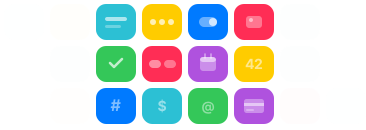
Ready to give your notes structure?
Free on iPhone, iPad, and Mac. No account required.
Download on the App Store